Notes
Rich note bodies, folder structure, metadata, plaintext, and available attachments.
HTML · TXT · JSON Data Liberator
Aaron Bergman ↗
Data Liberator
Aaron Bergman ↗
Free Mac app · Version 2.0.0
Export Notes, Messages, Photos, Contacts, Calendars, Reminders, Safari, Apple Health archives, and folder catalogs—locally, into open formats you can inspect and keep.
macOS 14 or newer · 3.3 MB · Apple silicon + Intel · Developer ID signed
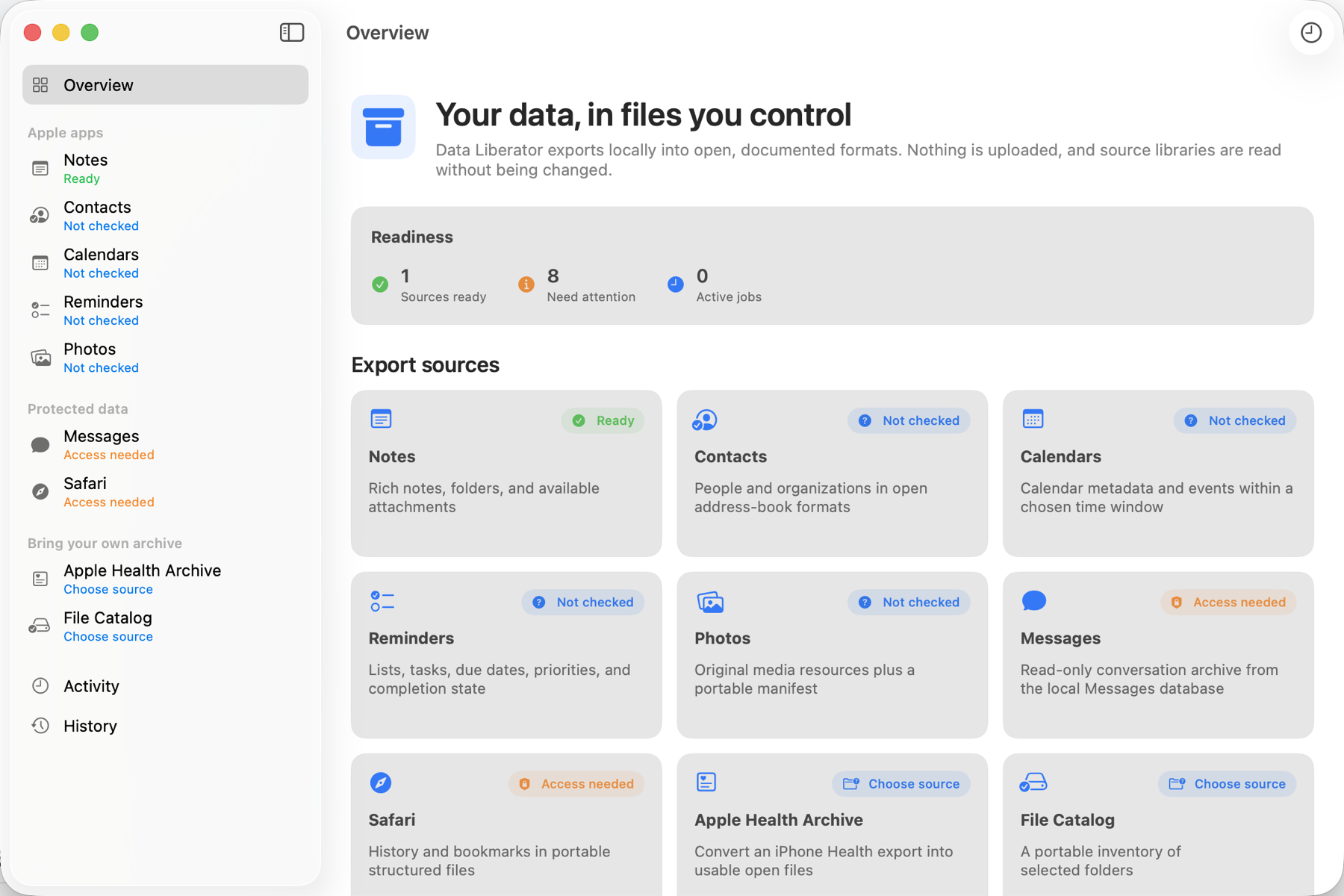
Nine real exporters
Each exporter uses a native framework, read-only database access, or a file you explicitly choose. Every run includes a machine-readable manifest.
Rich note bodies, folder structure, metadata, plaintext, and available attachments.
HTML · TXT · JSONA browsable local conversation archive with optional attachment copies.
HTML · JSONL · CSVOriginal media resources, checksums, album membership, and availability status.
ORIGINALS · JSONPeople and organizations in portable address-book and table formats.
VCARD · CSV · JSONEvents and metadata across a date window you choose and the app records.
ICS · JSONLists, tasks, due dates, priorities, notes, and completion state.
CSV · JSONLocal browsing history and bookmarks, without pretending private history exists.
CSV · JSONConverts the archive exported from your iPhone into usable tables and route files.
CSV · JSONL · GPXA portable inventory of chosen folders with optional SHA-256 integrity hashes.
JSONL · CSV · SHA-256A legible process
Check access, count available records, and see source-specific coverage warnings without creating an export.
Pick the output folder, formats, date window, limits, attachments, or integrity hashes relevant to that source.
Watch real progress. Completed runs get receipts; interrupted runs remain clearly marked as incomplete instead of disappearing.
Local means local
Data Liberator has no account system, analytics, ad SDK, sync service, or upload endpoint. It runs on your Mac and writes to a folder you choose.
Ready when you are
Open the disk image, drag Data Liberator into Applications, and choose one source to analyze. Nothing is exported until you click Export.
Download version 2.0.0 ↓SHA-256: 7c37d5a79265…ed04e00
First-launch note: this build is Developer ID signed, but Apple notarization is still pending. If Gatekeeper blocks it, Control-click Data Liberator in Applications and choose Open. The public checksum above lets you verify the downloaded DMG.